
2027 Life Planner
Days, weeks, goals and habits, all linked in one planner. Your whole year on one dashboard.
- Up to 3 devices
- Works offline
- No subscription
One order works on up to 3 devices. Instant download, no subscription.
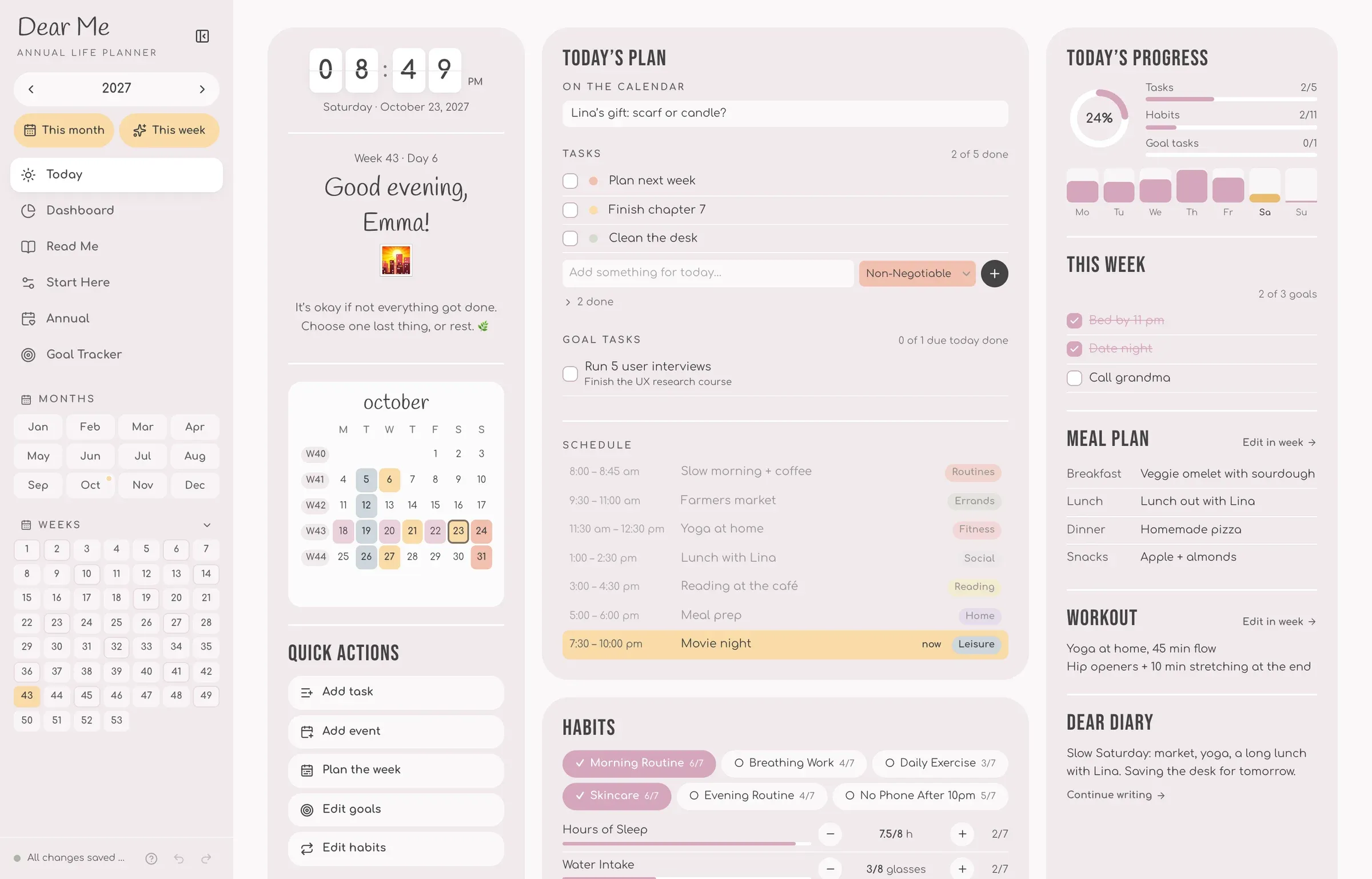
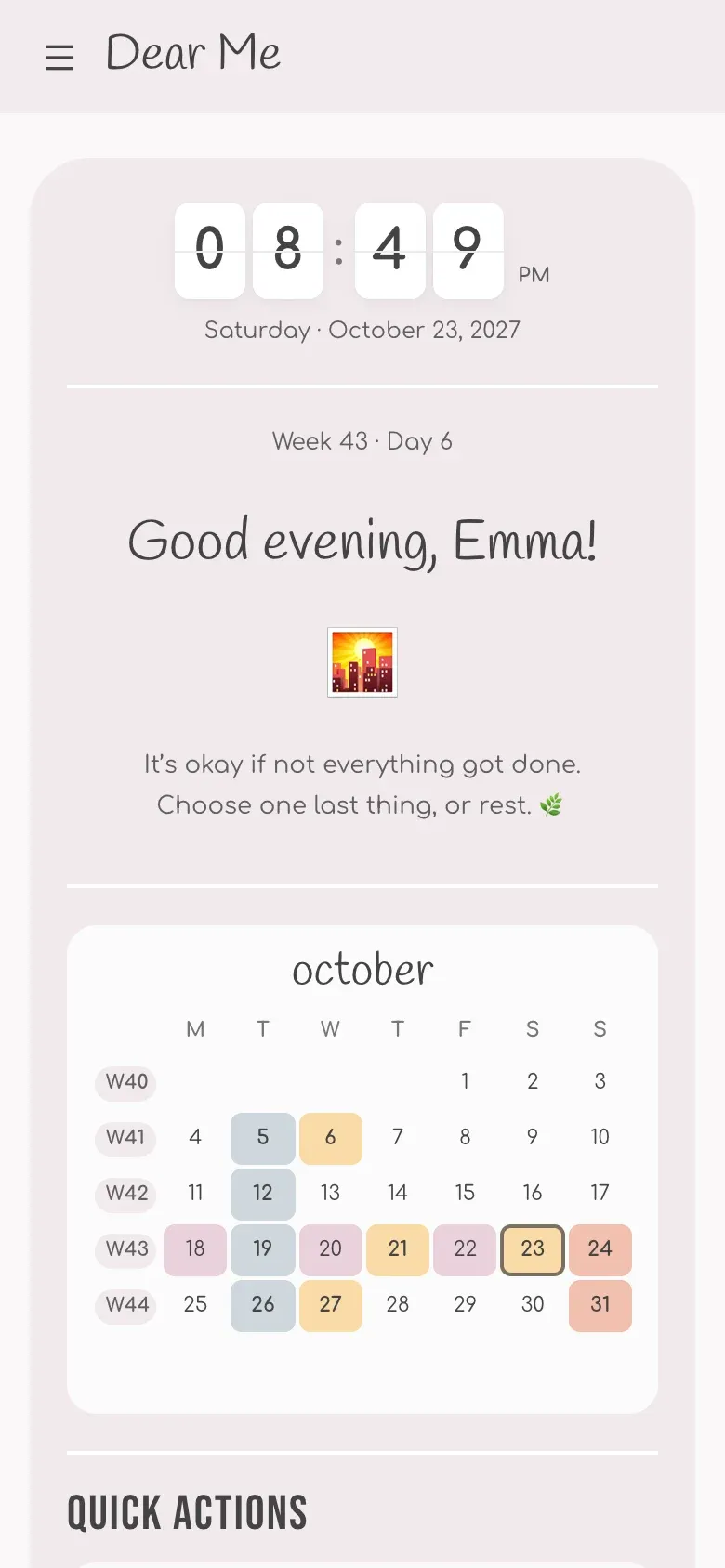
You plan. It does the math.
Tick a habit or add an event, and your charts, streaks and totals update themselves.
| Feature | PDF planner | Dear Me app |
|---|---|---|
| Add it once, it shows on every page | No | Yes |
| Habit streaks, charts and year stats | No | Yes |
| Goal tasks land on the right day | No | Yes |
| Opens as an app | No | Yes |
| Next year's calendar sets itself up | No | Yes |
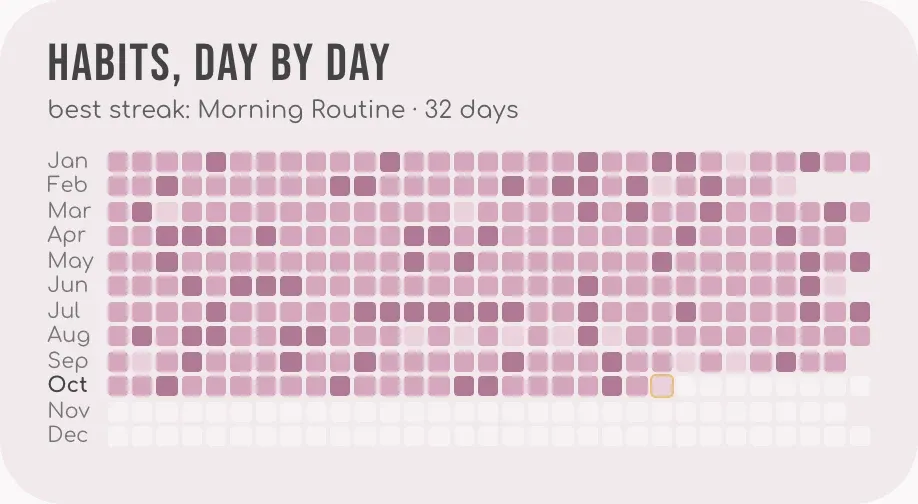
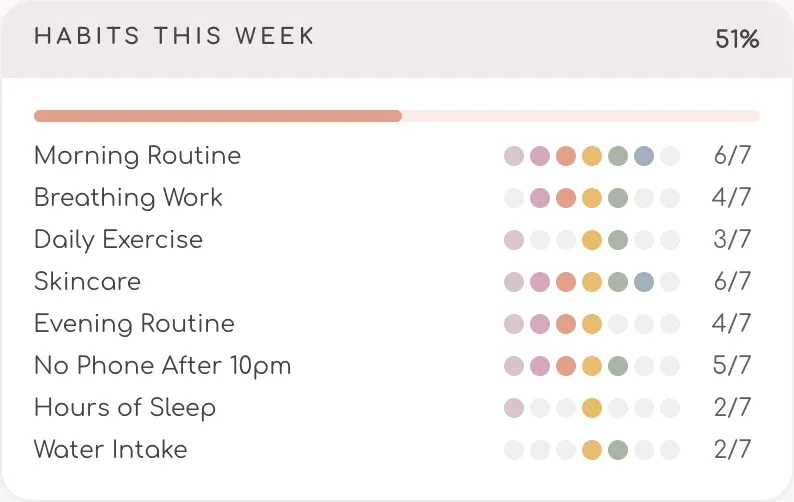
70+ pages, all linked.
Everything for your whole year, in one planner that opens in your browser.
- Main pages
- 6
- Main pages
- Monthly pages
- 12
- Monthly pages
- Weekly pages
- 53
- Weekly pages
- Habits to track
- 12
- Habits to track
- Color themes
- 4
- Color themes
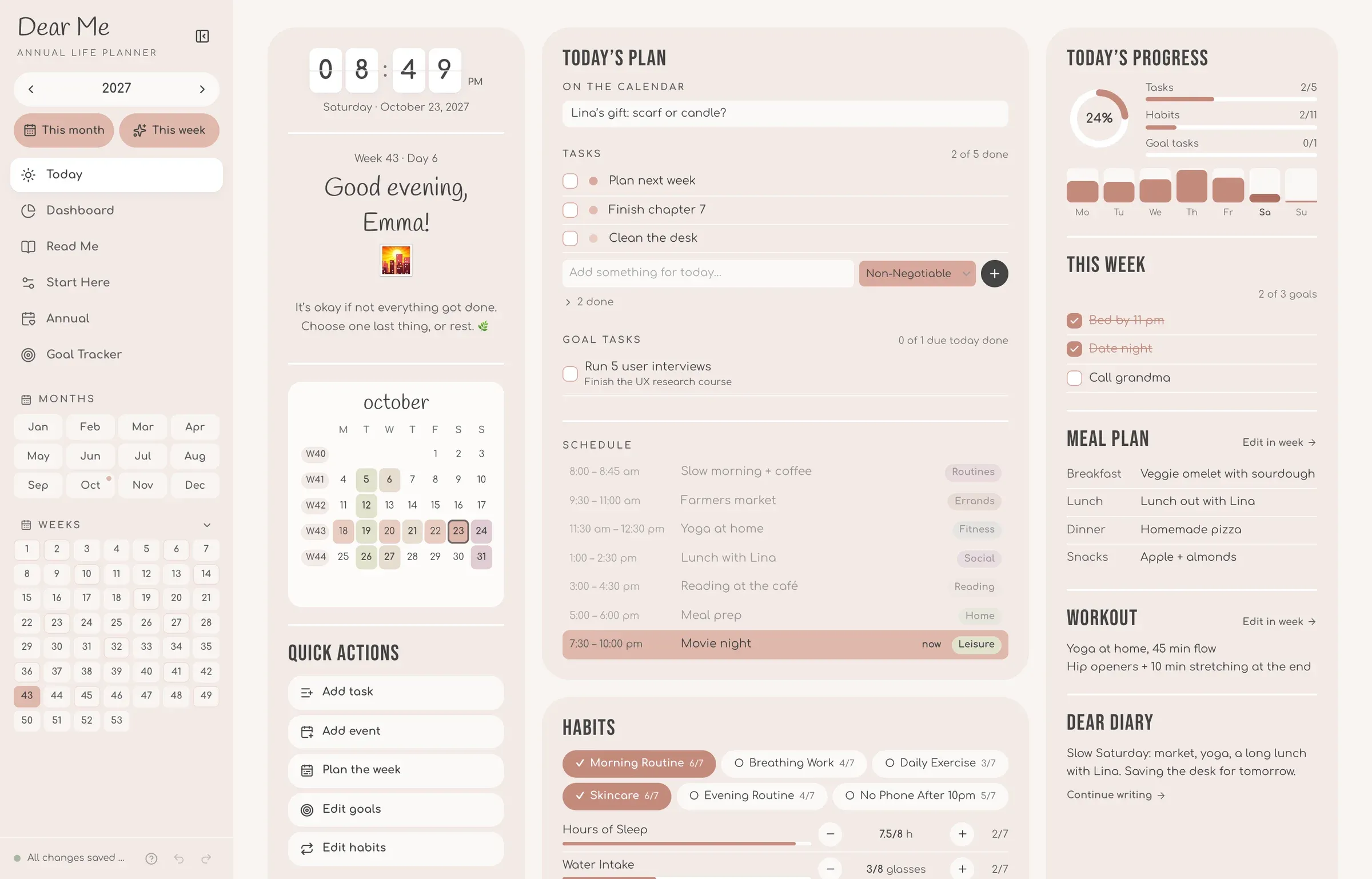
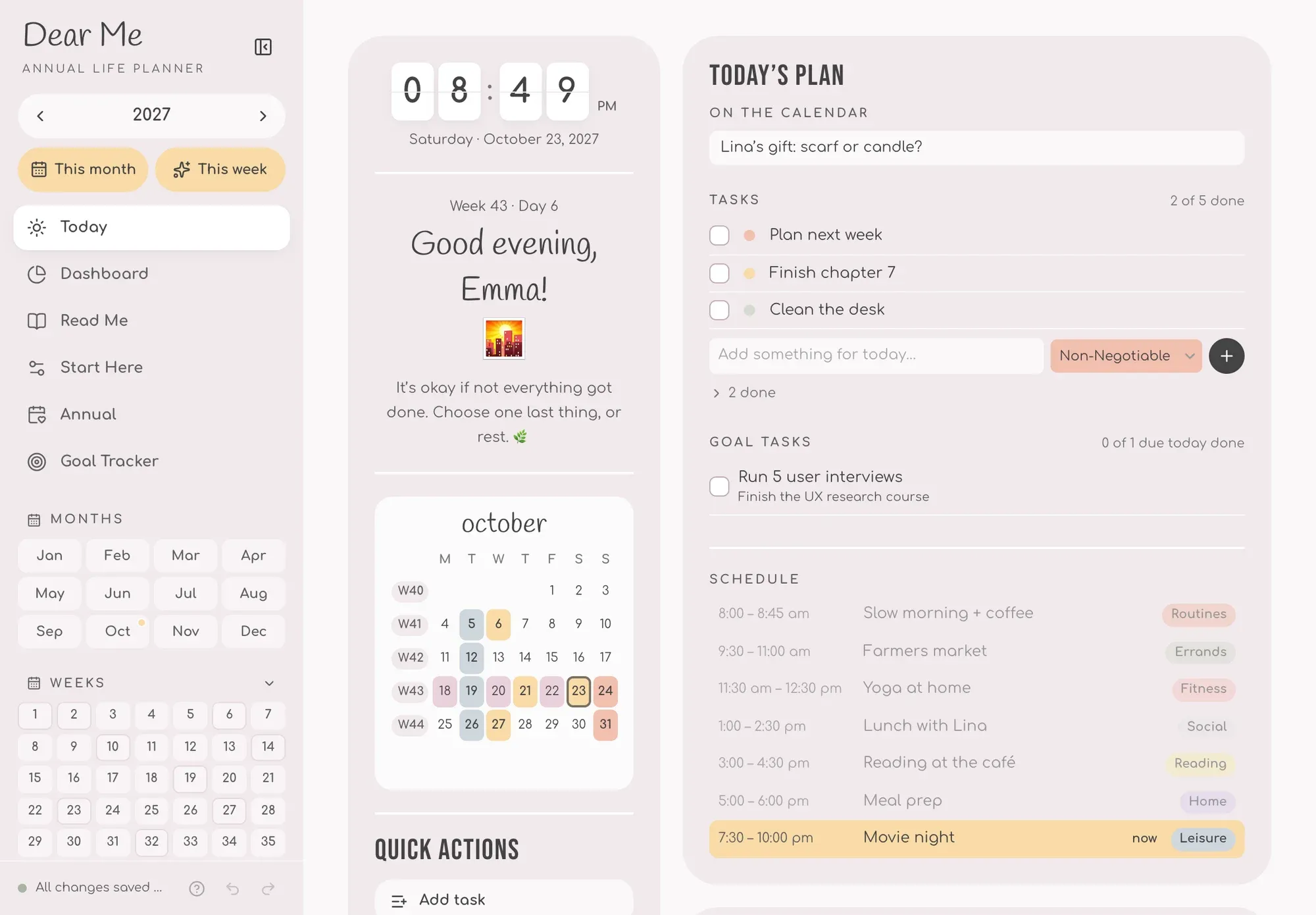
Your day, at a glance.
- 1Greets you by nameFlip clock, the date and a kind word.
- 2Today's planEvents, tasks and goal tasks in one list.
- 3Hour by hourTime blocks, colored by activity.
- 4HabitsTick or count them, streaks add up.
- 5Today's progressFills in as you tick things off.
- 6Meals, workout, journalPlan them, then end the day in a few lines.
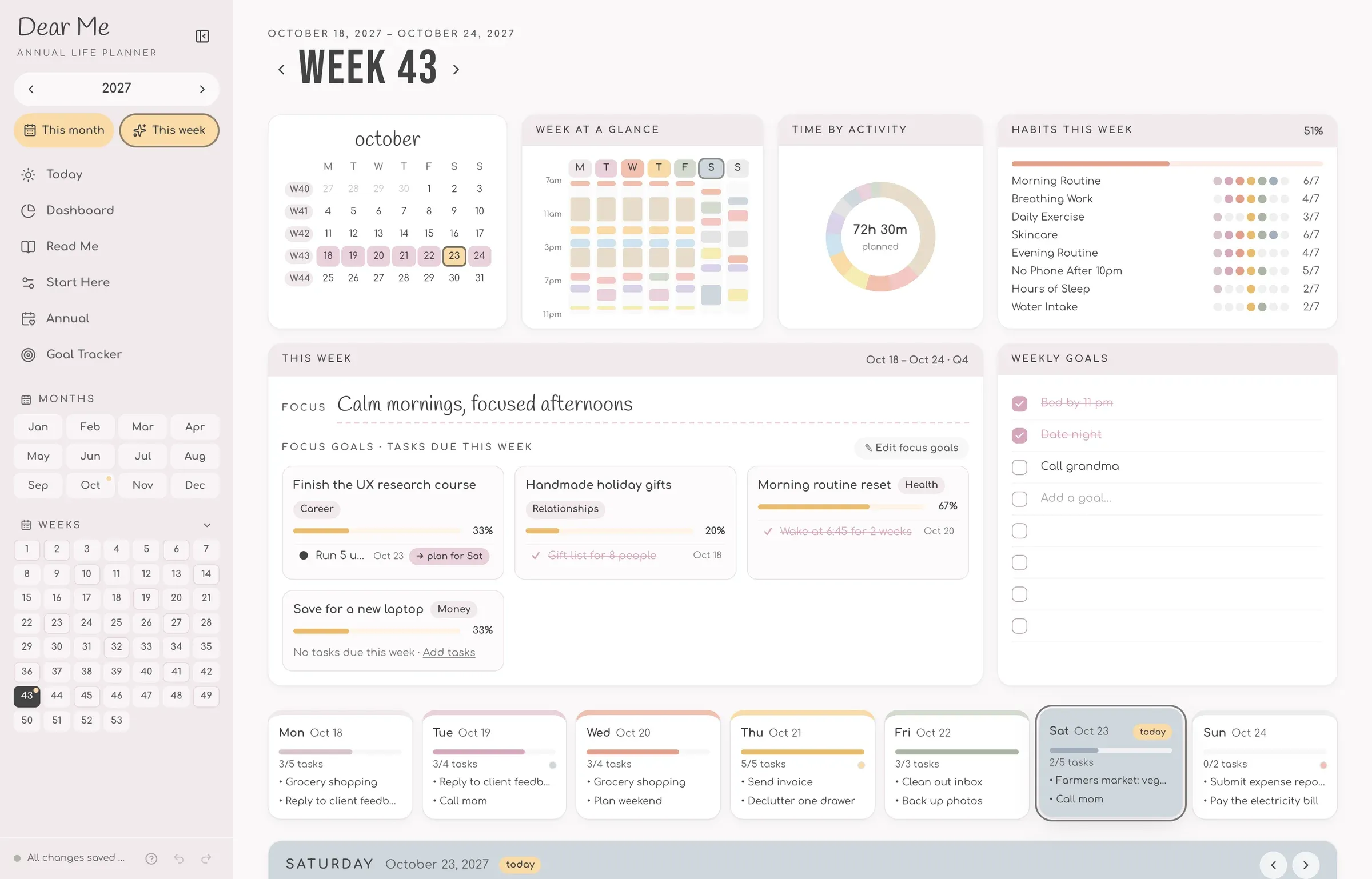
Plan the week. Live each day.
- 1Pick a dayEvery day of the week has its own page, one click away.
- 2Plan it hour by hourTasks with priorities, 15-minute time blocks, meals, a workout and your journal.
- 3See your weekYour days add up here: every schedule side by side, hours by activity, each habit’s week.
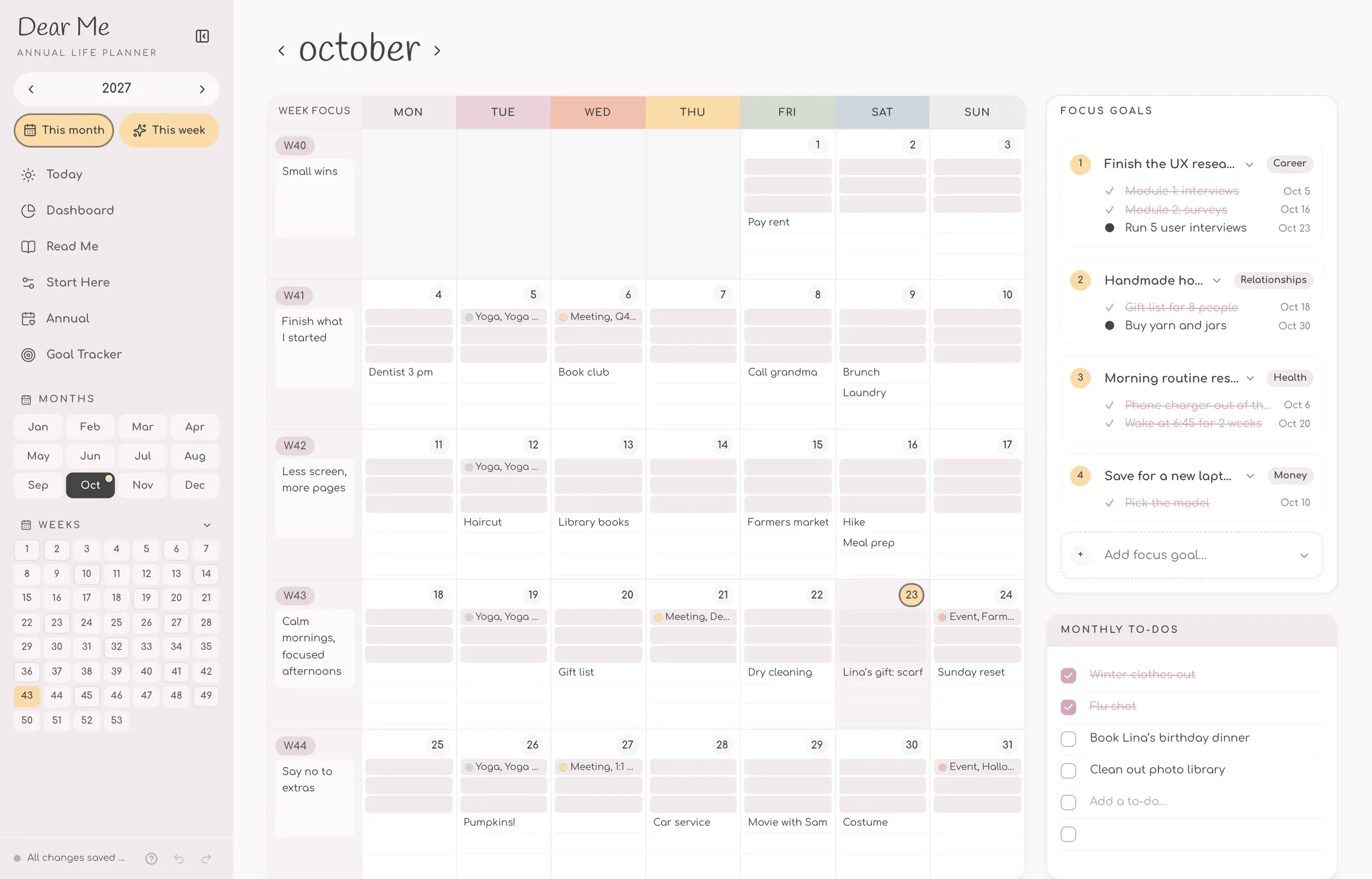
Your month, mapped out.
All 12 months, each on one page. What you plan here flows into your weeks and days.
- 1Plans on every dayThree lines a day, key dates in color.
- 2A focus for each weekOne line to steer the week.
- 3Focus goalsUp to 5 of your goals, picked for the month.
- 4Monthly to-dosSeven to tick off this month.
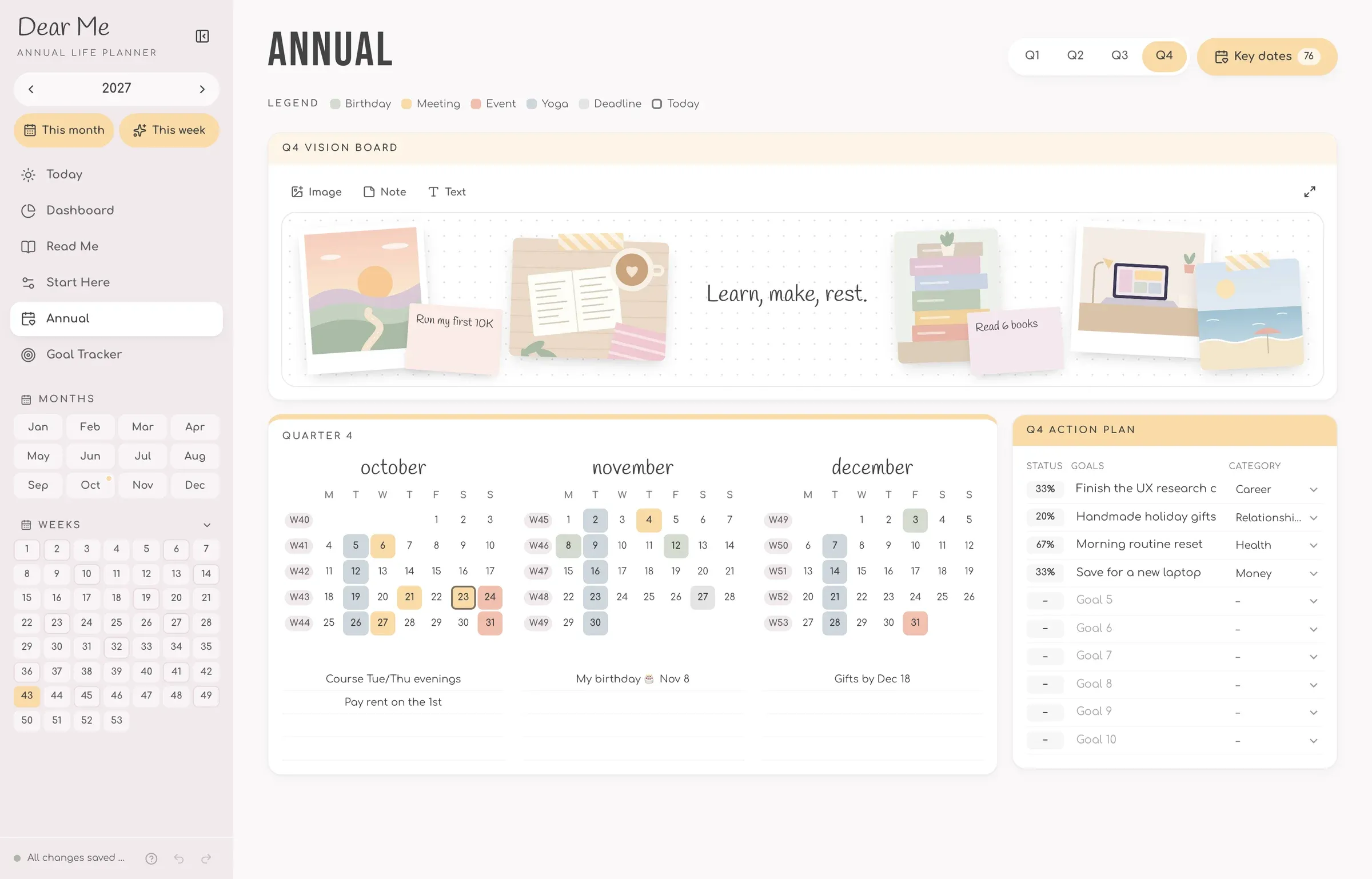
See the year. Plan the quarter.
- 14 quartersEach with its own goals, plan and vision board.
- 210 goals a quarterEach with up to 15 tasks.
- 35 event typesEvery key date colored by its type.
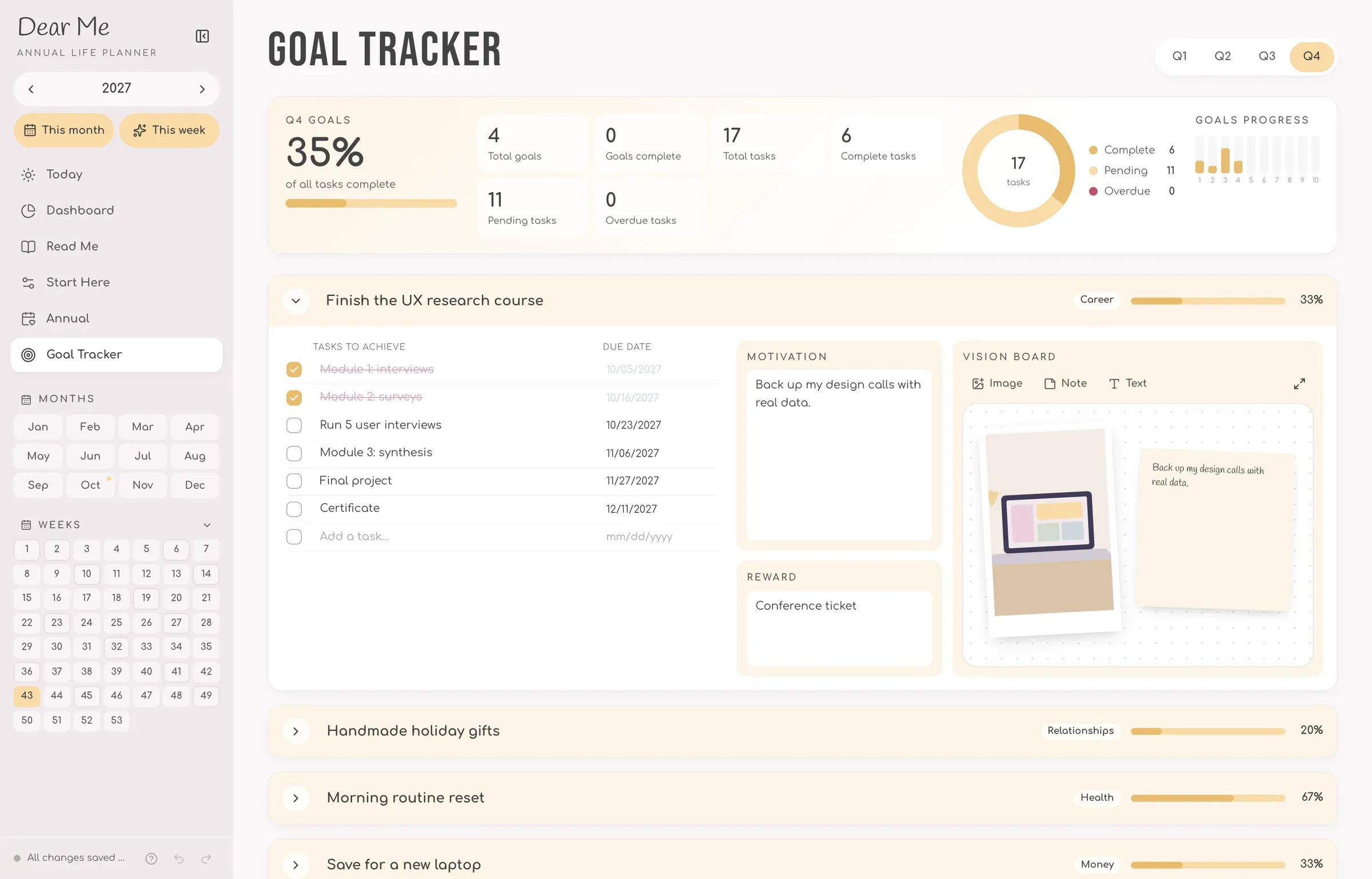
Big goals, small steps.
Every goal adds up to your quarter.
- 1Up to 15 tasksEach with a due date, ticked off as you go.
- 2Your why and rewardWhy it matters, and how you’ll celebrate.
- 3A vision boardOne per goal: photos and notes to keep it in sight.
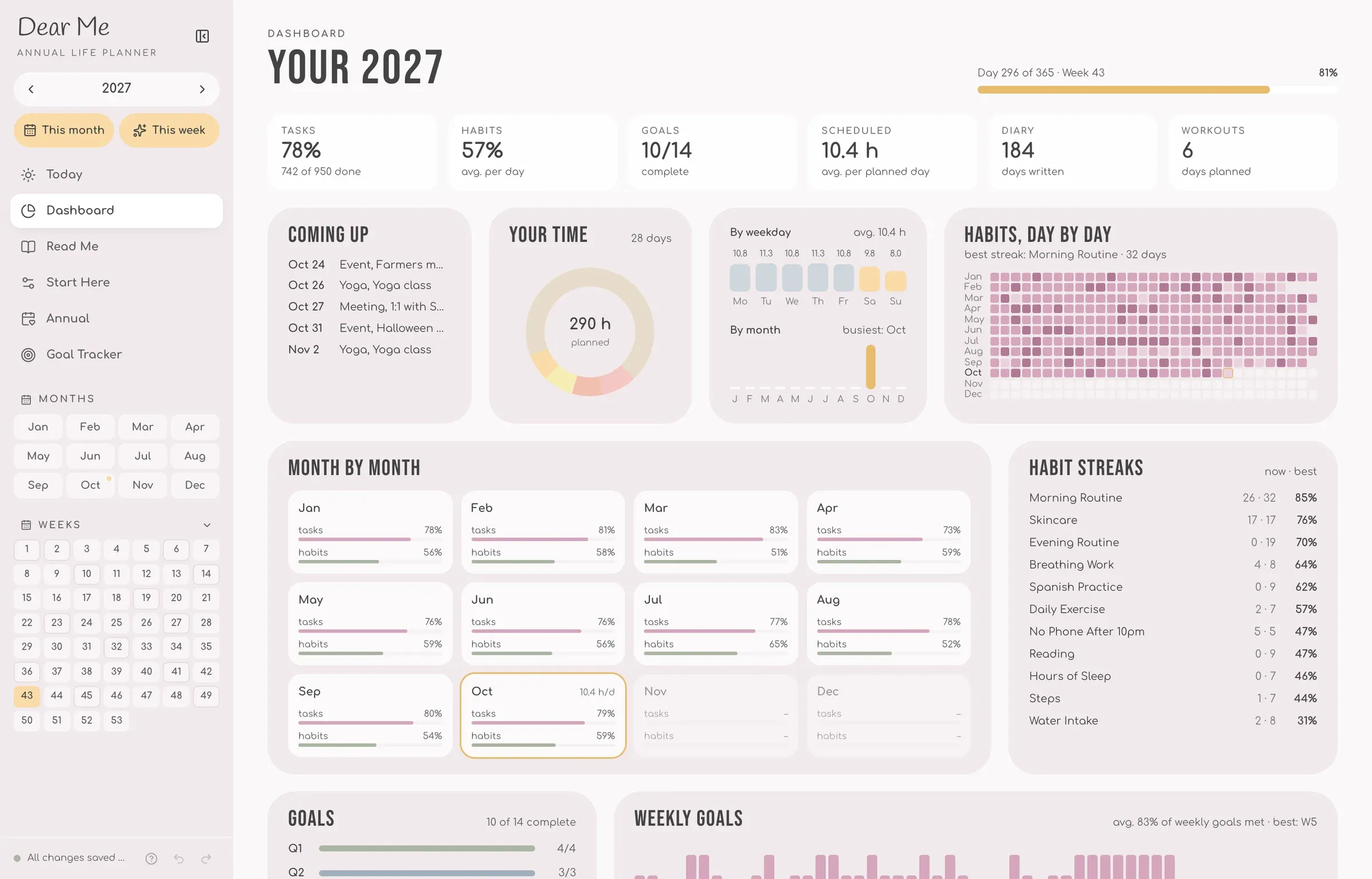
Watch your year add up.
- 1Year in numbersSee the tasks, habits and goals you’ve done.
- 2Your timeSee your planned hours by activity.
- 3Habits by daySee every day of your year, one square each.
- 4Your streaksSee your current and best run of each habit.
Your colors, your planner.
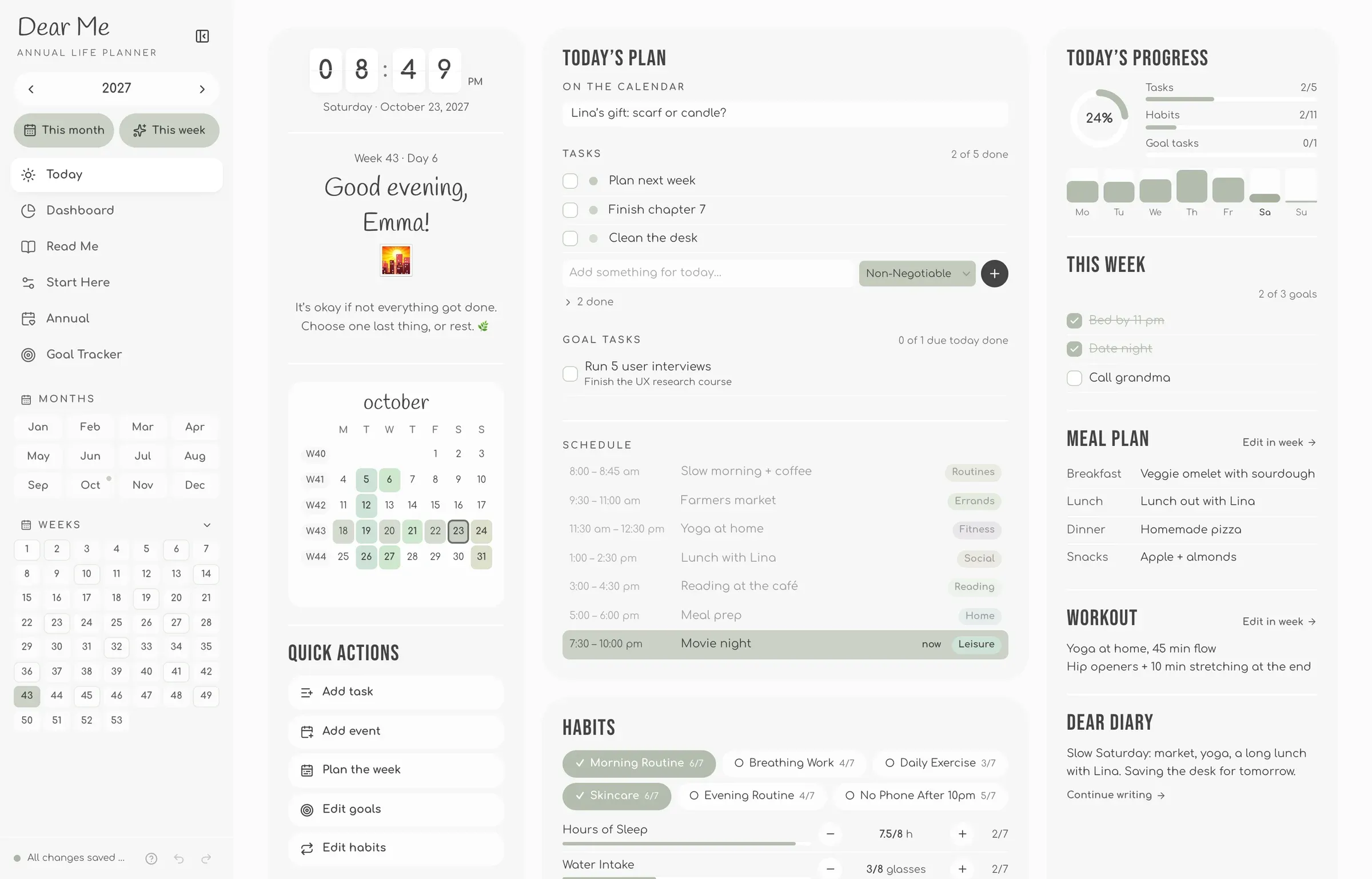
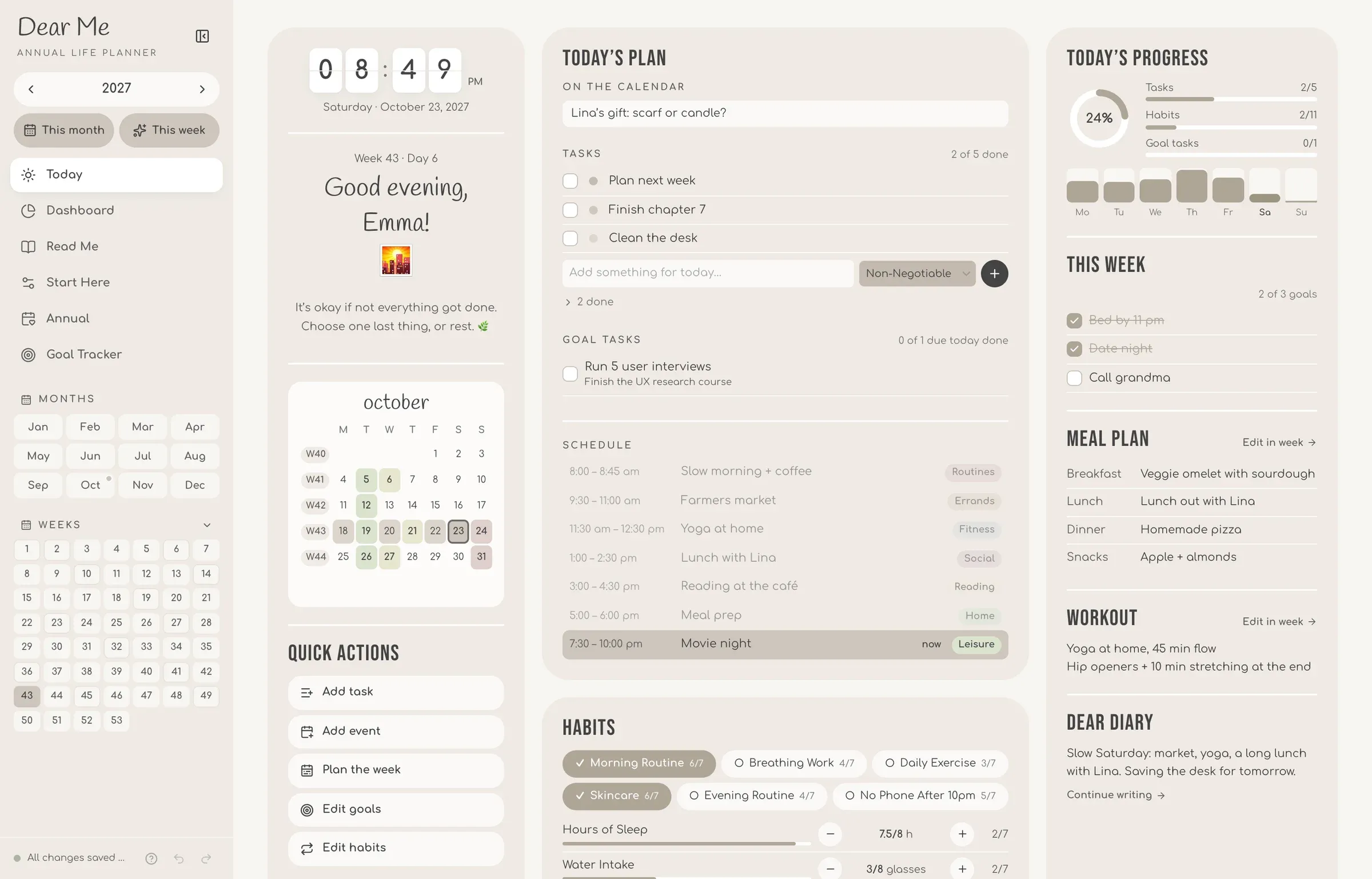
Pick one of four color themes, add your name and birthday, choose when your week and day start, and set up your habits, categories and event types.
One planner, three devices.
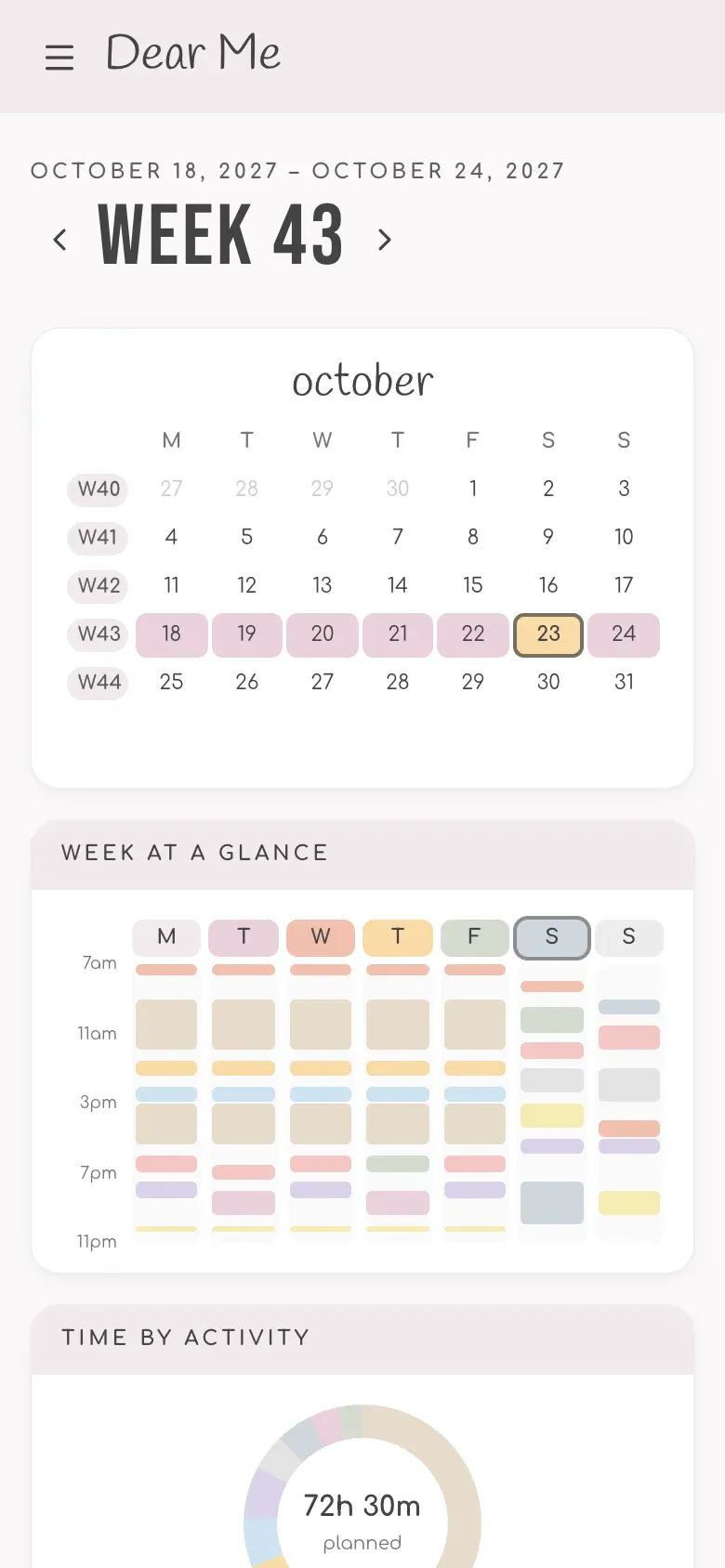
- Up to 3 devicesSynced on laptop, tablet and phone, always the same planner.
- Works offlinePlan anywhere, it syncs when you’re back online.
- Add to home screenOpens full-screen, just like an app.
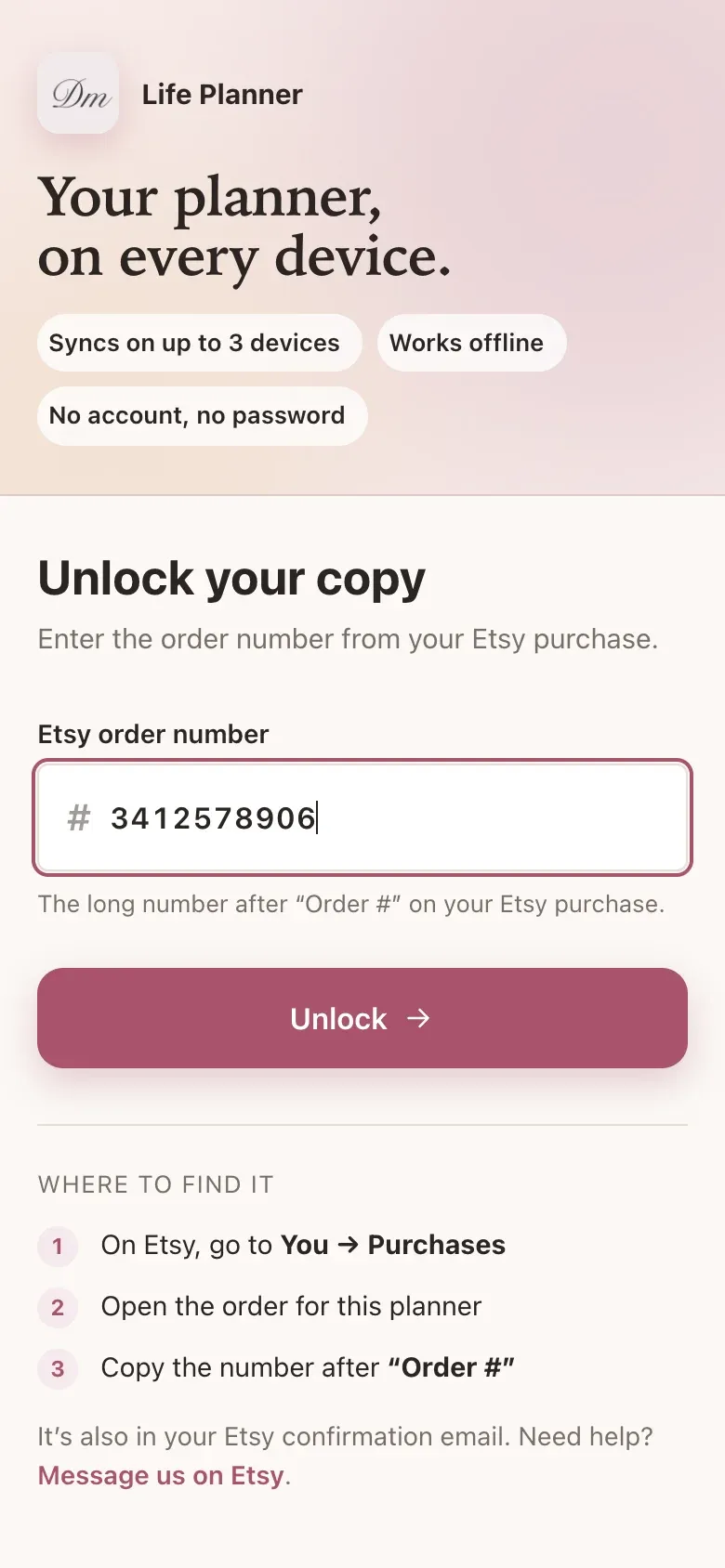
- No account neededUnlock it with your Etsy order number.
Ready in a minute.
- 1Buy on EtsyInstant download with your link.
- 2Open your linkIt’s in the PDF you download from Etsy.
- 3Enter your order numberNo account, no password.
- 4Start planningSynced on up to 3 devices.
Open your planner and enter your Etsy order number.
2027 Life Planner in short
- What it is
- A digital planner app that opens in your web browser. Not a PDF: pages are linked, and charts, streaks and totals fill in by themselves.
- Works on
- Computer, tablet and phone, in any modern browser (Safari, Chrome, Edge, Firefox). Add it to the Home Screen to open it like an app.
- Devices
- Up to 3 devices per order, kept in sync.
- Offline
- Works offline and syncs when you are back online.
- Inside
- Today page, 53 weekly pages, 12 monthly pages, an annual page, a goal tracker, a dashboard, a habit tracker for up to 12 habits, vision boards and 4 color themes.
- Year
- Made for 2027 and usable every year: pick the year in the planner.
- Price
- One-time purchase on Etsy. No subscription.
- Account
- None. Your Etsy order number unlocks the planner.
- Delivery
- Instant digital download from Etsy with the link to your planner. Nothing is shipped.
Is this a PDF for Goodnotes?
No. It's a real app that opens in your browser, with links, checkboxes, trackers, charts and photos. Nothing to print or import.
What do I get when I buy?
A digital product, nothing is shipped. Your download from Etsy is a short letter with the link to your planner, ready as soon as your payment is confirmed.
I can't download it in the Etsy app.
Files can't be downloaded in the Etsy app. Sign in to Etsy in your phone's browser or on a computer, then open Purchases.
Which devices does it work on?
Any modern browser on a computer, tablet or phone (Safari, Chrome, Edge, Firefox), up to 3 devices at once. Setup is easiest on a bigger screen. On iPhone and iPad, add it to your Home Screen for a full-screen app.
Can I use it next year too?
Yes. It's a one-time purchase with no subscription. Pick the year in the planner and next year's calendar sets itself up.
Do I need an account?
No. Your Etsy order number unlocks the planner. No sign-up, no password.
What if I change phones?
Remove the old device in the planner's Settings and the new one takes its place.
Is my data private?
It's saved on your device first and synced so it shows up on your other devices. We don't sell or share it, and you can export a backup any time from Settings.
Start your 2027 today.
Buy once on Etsy, open your link, and plan on up to 3 devices.
Not sure yet? Try it free for 7 days →